


Digital Babe
Monthly Budget Spreadsheet for Google Sheets (Pink & Purple)
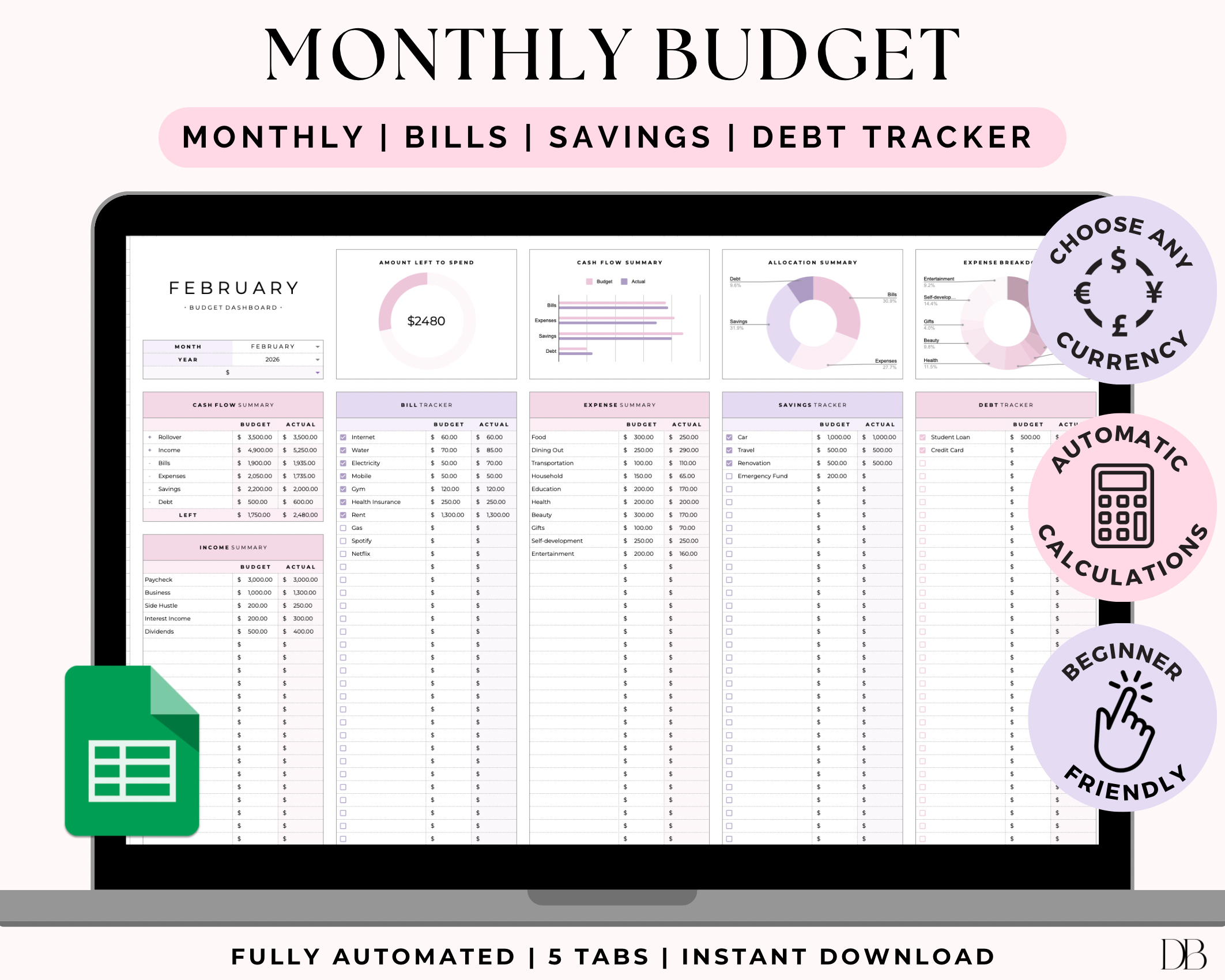
Take control of your money (without making budgeting feel boring 😌) with this Monthly Budget Spreadsheet for Google Sheets, a cute budget template designed to help you plan, track, and stay consistent.
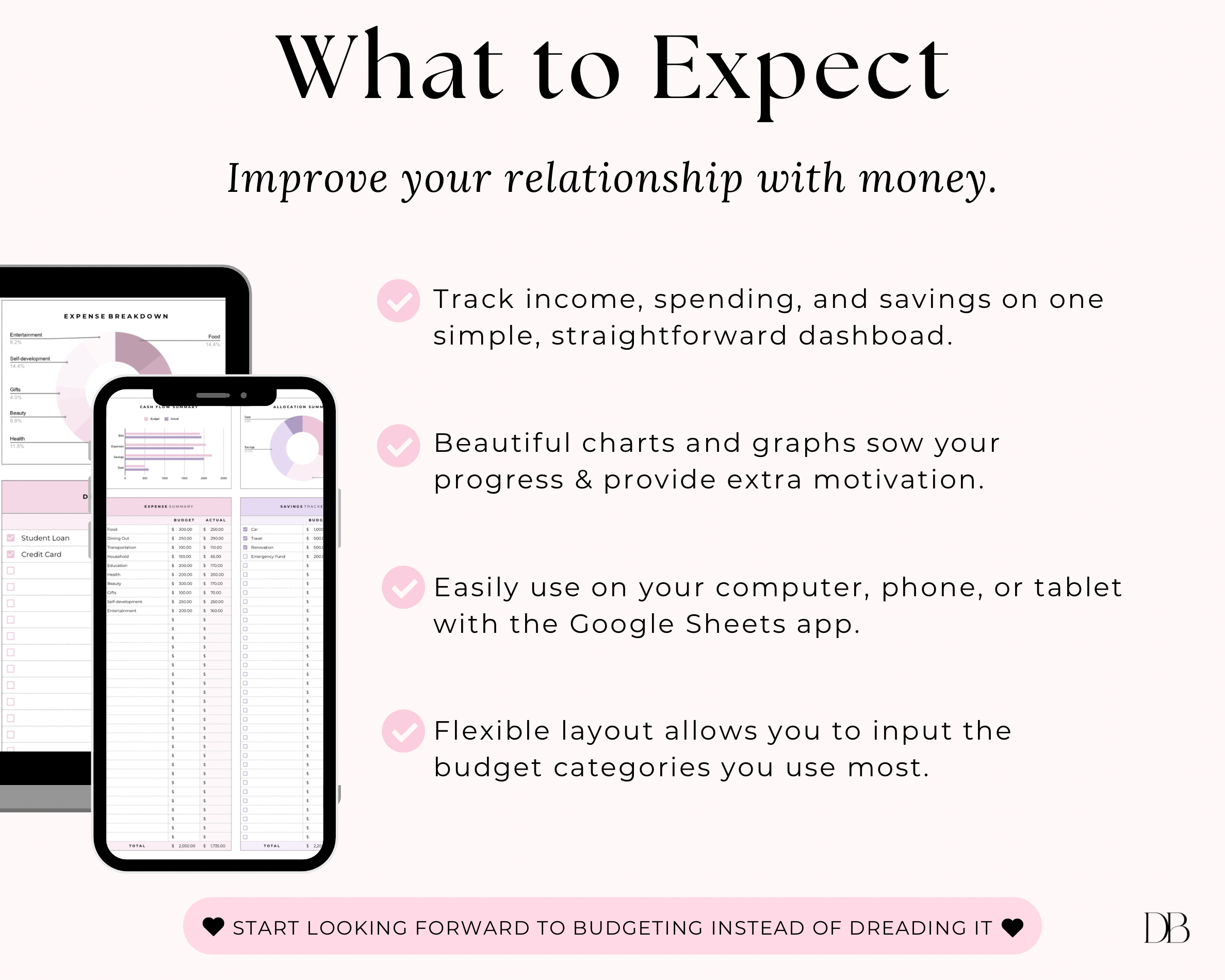
This budget spreadsheet makes it easy to organize your budgeting finances in one place, even if you’re a budget for beginners girlie. Use the built-in sections to map out your income, bills, and spending, then track what you actually spent with the expense tracker so you can see where your money is going each month.
Perfect for anyone who wants a simple, pretty system inside Google Sheets that helps you build better money habits, without feeling overwhelmed.
What it helps you do:
- Plan your month with a monthly budget template
- Track spending with an easy expense tracker
- Stay on top of bills, categories, and totals
- See your progress and stay consistent with budgeting
If you’ve been looking for a cute budget template that actually keeps you organized, this is the one. Download, open in Google Sheets, and start budgeting smarter today.
⚠️ IMPORTANT:
This Google Sheet is for personal use only and not available for resale, reproduction, or commercial use. By purchasing, you agree to these terms.
WHAT'S INCLUDED?
✔︎ PDF file with link to access the template
✔︎ Step by step instructions & FAQs
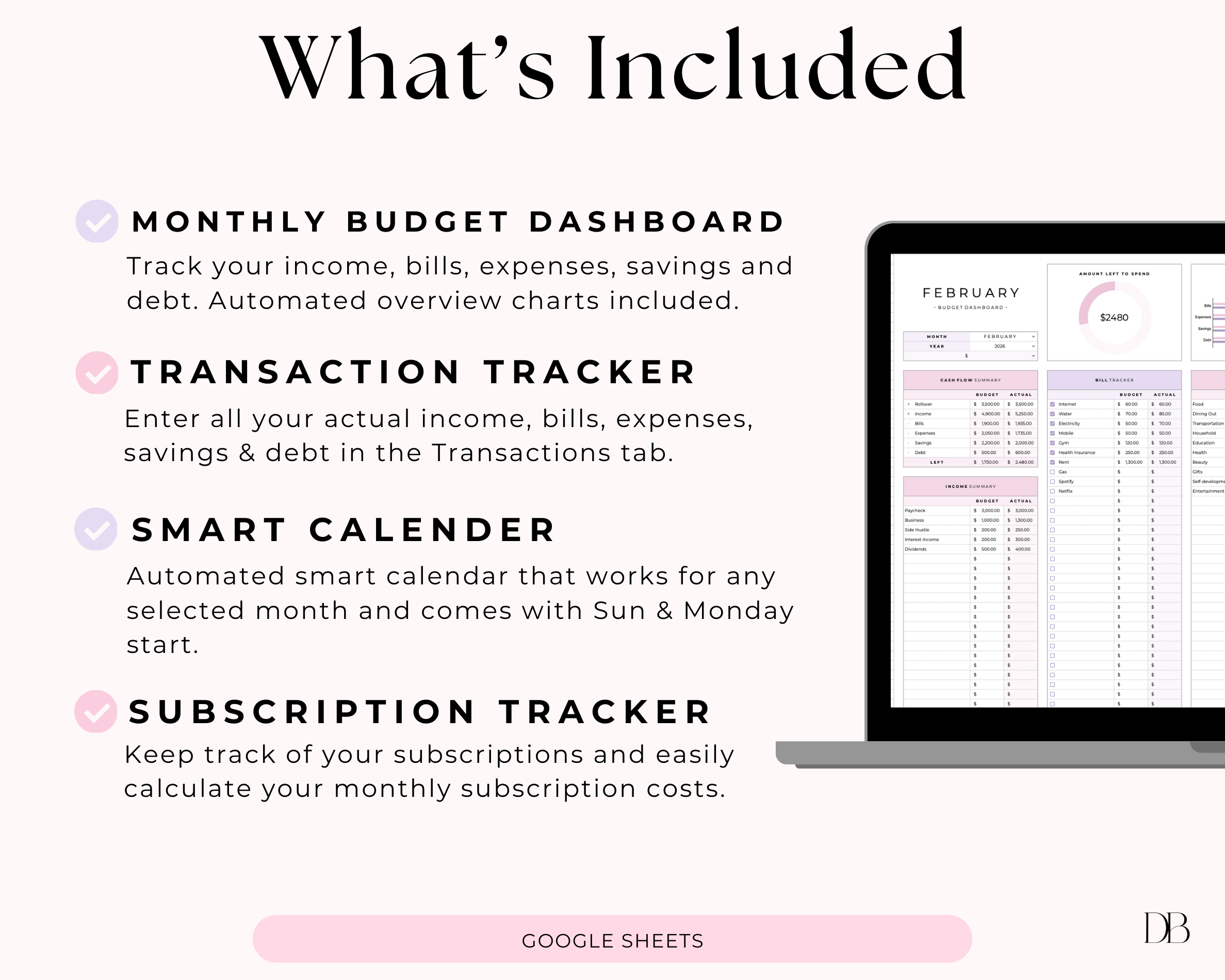
✔︎ 5 Tabs - Start tab, Transactions Tracker, Monthly Budget Dashboard, Smart Calendar & Subscription Tracker
FEATURES
• Customize your categories
• Use with any currency
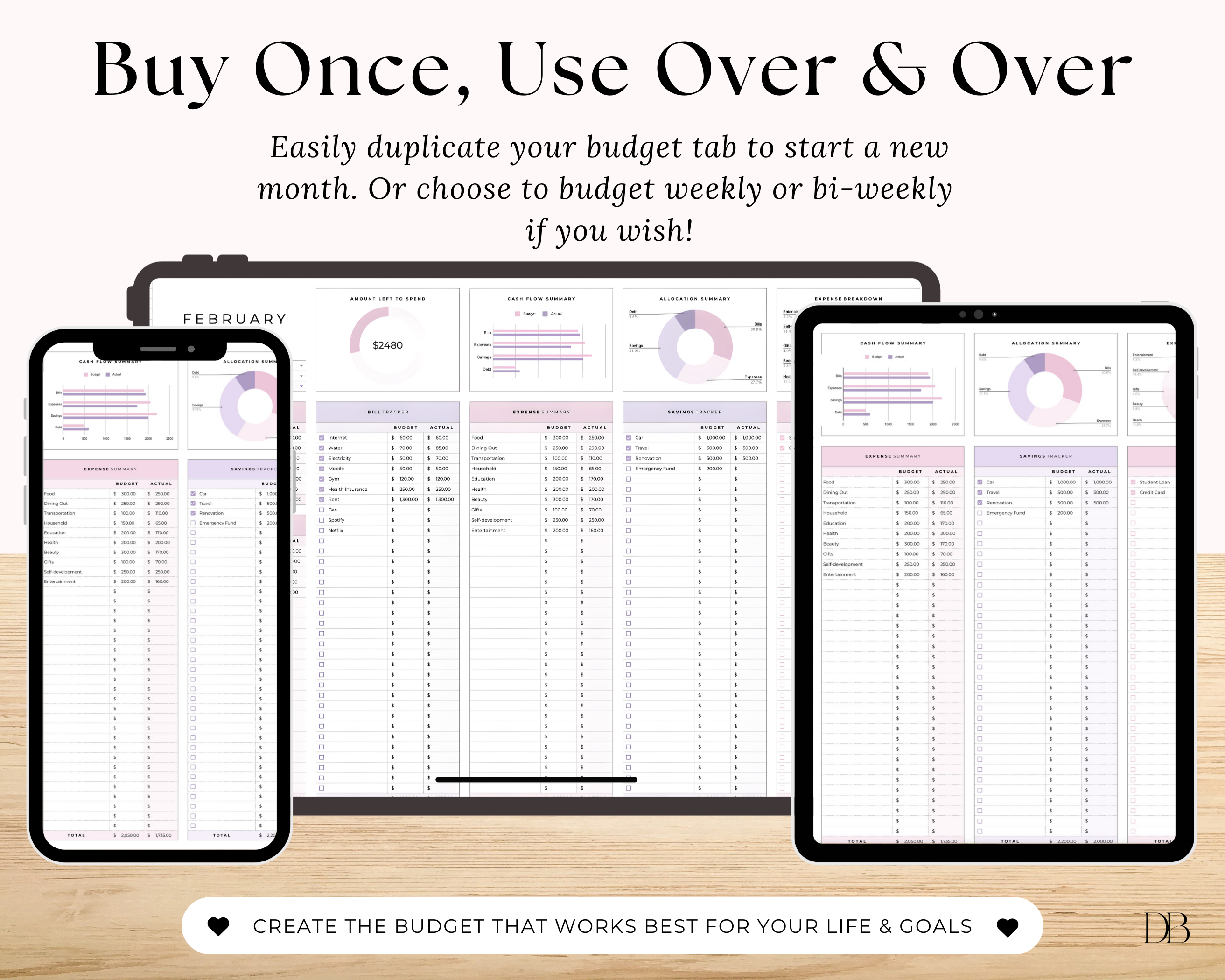
• Duplicate the Monthly Budget tab as many times as you need
• Add your budget & actual amounts
• Add a start balance
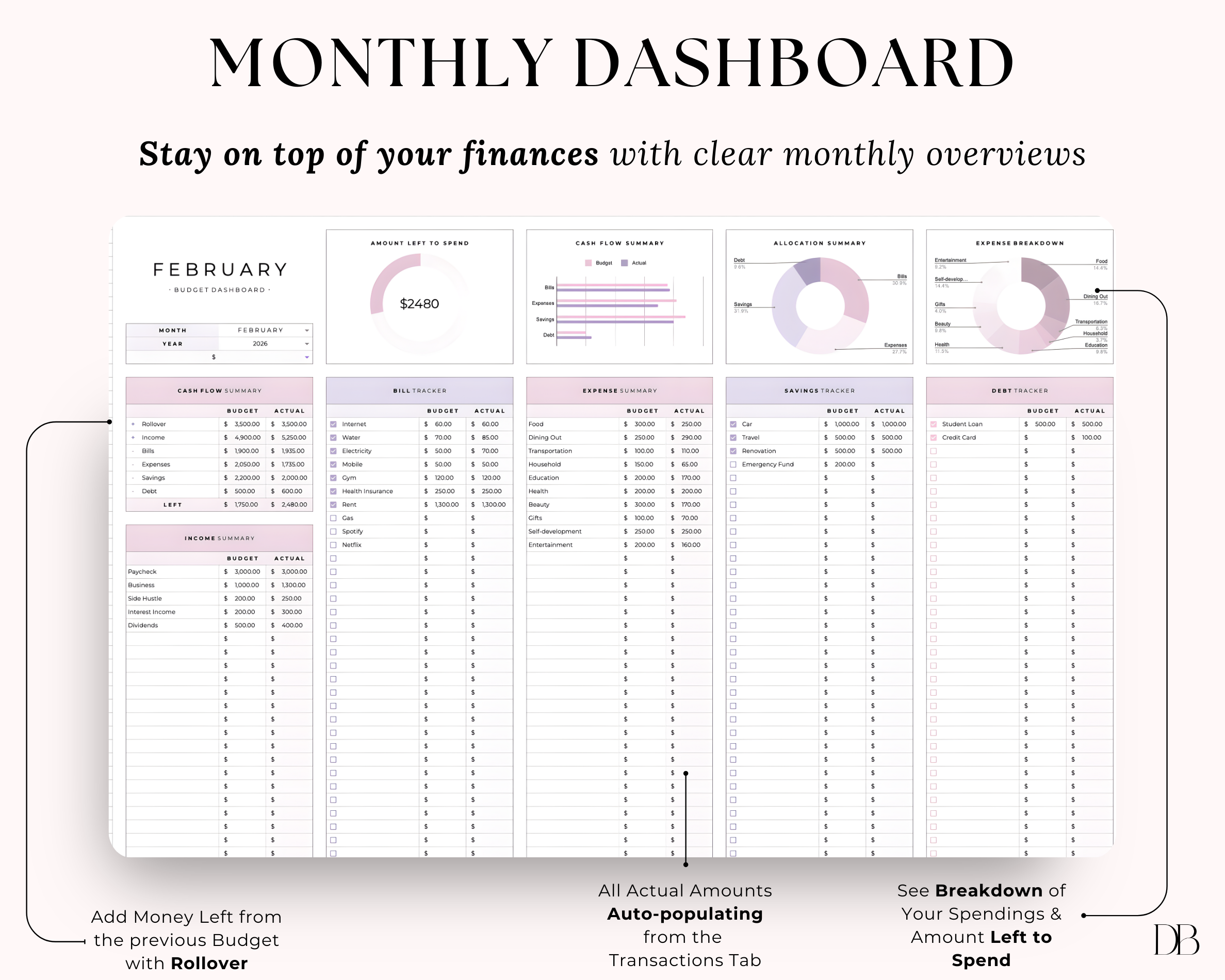
• Cash flow overview
• Transaction tracker
• Expense breakdown
• Left to spend chart
• Budget vs actual chart
• Expense breakdown chart
• Allocation summary chart
• Checkboxes to mark off paid bills, debt & savings
• Automatic calculations
• Sync the spreadsheet across multiple devices
• Keep track of your subscriptions
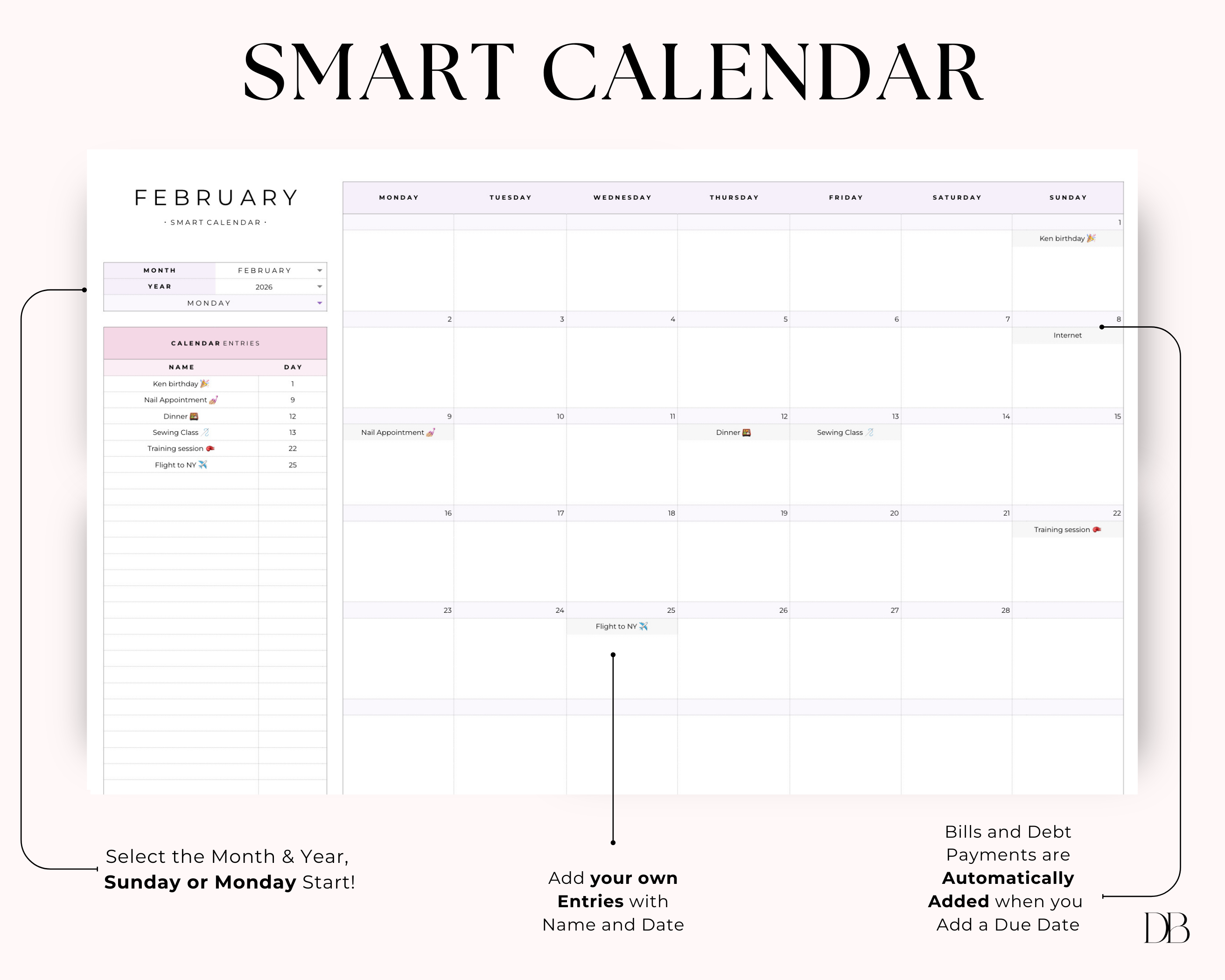
• Track bill & debt payments with Smart Calendar
• Add any events to the Smart Calendar
FAQ
Find quick answers about Digital Babe digital planners and Digital Babe google sheets
Digital Planners
After purchase, download your digital planner PDF and open it in a note-taking app like GoodNotes, Notability, or Noteshelf. From there you can write directly on the pages, add text, highlight, and plan using your iPad and Apple Pencil (or tablet + stylus).
Our planners are made for GoodNotes (most popular for iPad digital planning), but they also work with Notability and Noteshelf. Any app that supports importing and annotating a PDF digital planner should work.
Yes! Digital Babe products are hyperlinked digital planners, meaning you can tap tabs and buttons to jump between sections quickly, perfect for an iPad planner experience.
Yes—our products are printable PDF planners, so you can print pages at home or through a print shop. That said, they’re designed primarily as digital planners for iPad for the best experience.
Right after checkout you’ll receive a download link on your confirmation page, and you’ll also get an email with your instant download digital files. Tip: download on a computer first if your phone has trouble opening large files.
Yes, Digital Babe offers budget planners and Google Sheets budget spreadsheets designed for monthly budgeting, bill tracking, and expense tracking (great for beginners and people who want a simple system).
Because these are instant download digital products, refunds usually aren’t available once files are delivered. But if you run into any issues downloading or using your file, contact us and we’ll help you troubleshoot.
Our planners are for personal use only. You cannot resell, distribute, or share the files with others. If someone you know is interested in a planner, we kindly ask that you direct them to our store.
Google Spreadsheets
A Google Sheets template is a ready-to-use spreadsheet you can copy and edit to organize information, track progress, and automate calculations. Digital Babe templates are designed to be simple, editable, and beginner-friendly.
No. These templates are made for Google Sheets, so you only need a free Google account. (Excel may work, but formatting and formulas aren’t guaranteed.)
Yes, Digital Babe spreadsheets are instant download digital products, so you’ll receive access right after checkout.
Yes, these templates work on desktop and mobile using the Google Sheets app. For setup and customization, a laptop/desktop is usually easier.
You can share access to your copy through Google Drive, but your purchase is for personal use only.
Because these are instant digital downloads, refunds are typically not available once delivered. If you have trouble accessing your file, contact us and we’ll help.